
Ever wondered what is a sim? Our 2026 guide explains SIM cards, eSIMs, and how to stay connected globally without roaming fees. Get the full explanation now!
A SIM is a Subscriber Identity Module, and it's the part of your phone that proves who you are to a mobile network so you can get service. It acts as a passport for your phone, carrying the identity details a carrier needs; this essential credential has evolved from a tiny physical card into a digital version called an eSIM.
If you're about to board a plane, that shift matters more than the definition. A SIM used to mean finding a tray pin, swapping a tiny chip at the airport, and hoping you didn't lose your home number setup in the process. Now, for many travelers, the same job can happen digitally.
That's why “what is a SIM” is really two questions. First, what does it do inside your phone? Second, what does that let you do when you land in a new country and need data fast?
What a SIM Card Really Is and How It Works
You land after a long flight, turn off airplane mode, and expect your phone to connect right away. Whether it does depends less on your camera, apps, or screen, and more on one small piece of identity technology inside the phone.
A SIM card is what tells a mobile network who you are and whether your line is allowed to use its service. Without it, your phone is still a powerful device, but it cannot join a carrier's network for calls, texts, and mobile data.
According to the SIM card overview on Wikipedia, SIM stands for Subscriber Identity Module. It securely stores the IMSI, or International Mobile Subscriber Identity, along with related authentication data that carriers use to verify a subscriber. The first SIM cards were introduced in 1991, and that simple idea still sits at the center of mobile connectivity today.
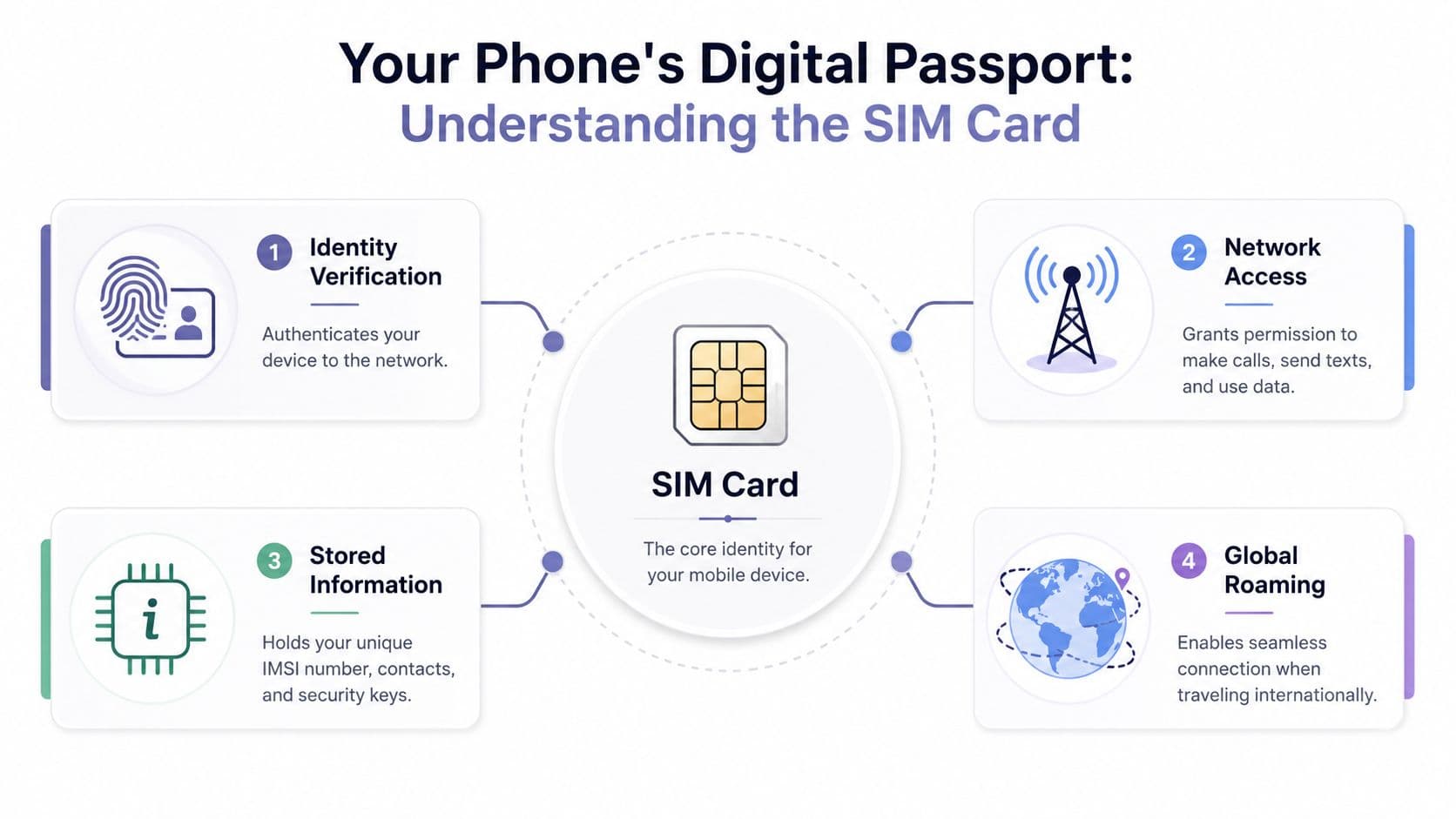
Your phone's identity layer
A practical way to understand the SIM is to separate the phone from the subscription.
Your phone is the hardware. The SIM is the credential tied to your mobile account. The carrier checks that credential before it lets your device use the network.
Two terms cause confusion here, so it helps to keep them straight. The IMSI identifies your subscriber account to the network. The ICCID identifies the SIM card or SIM profile itself. You probably will not need either in daily life, but they matter during activation, troubleshooting, and switching plans before a trip.
The SIM is the trusted identity that grants access to cellular service.
What lives on the SIM
A SIM stores a small amount of highly specific information. That usually includes identity data, security credentials, and in some cases a few contacts or text messages. It does not hold your photos, apps, or the rest of your digital life.
The NIST glossary entry for Subscriber Identity Module describes a SIM as the smart card chip used to identify and authenticate the user on a mobile network. In plain language, your carrier checks the SIM's credentials and then decides whether your phone can connect.
That is why SIMs matter so much to travelers. The SIM is not just a technical component. It is the piece that turns your phone from a pocket computer into a connected travel tool, one that can pull up boarding passes, call a driver, message your hotel, and get you online the moment you arrive.
So when someone asks, "What is a SIM?" the clearest answer is this: it is the identity credential your phone uses to access a mobile network.
The Physical SIM Card A Brief History of Shrinking
A traveler in 1990s had a much bigger piece of plastic to deal with than the tiny SIM card tray in a modern phone. The chip that identifies your mobile account stayed important, but the plastic around it kept getting smaller as phones got thinner, lighter, and more packed with cameras, batteries, and antennas.
For anyone who has swapped SIMs before a flight, this history matters because it explains why physical SIMs often felt awkward in real life. The technology worked. The handling rarely felt travel-friendly.
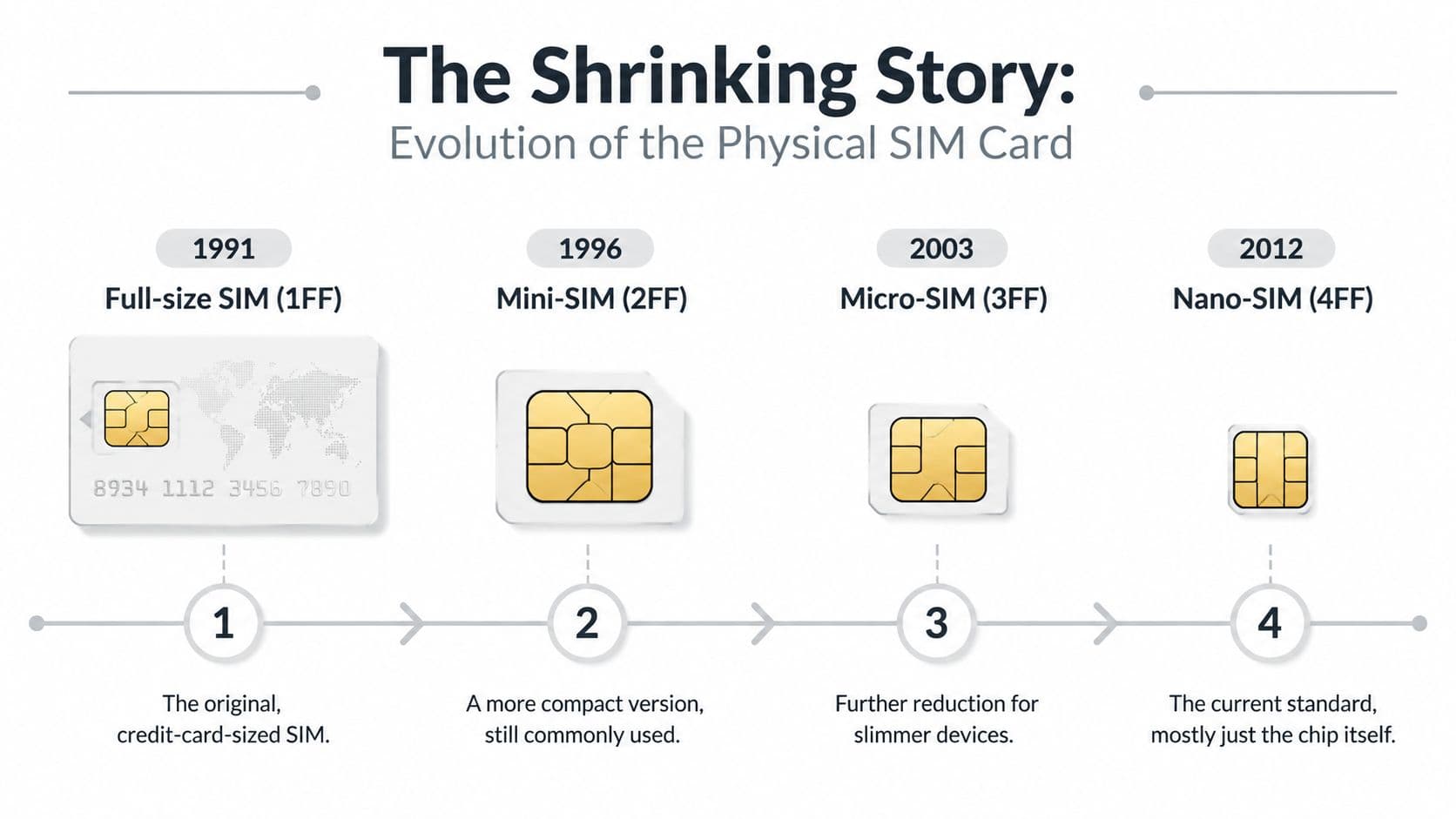
Why the card kept getting smaller
The easiest way to understand the change is this. The SIM chip was like the important stamp in a passport. Phone makers kept trimming the cardboard cover around that stamp so it took up less room inside the device.
That gave manufacturers more space for the parts people notice day to day, such as a larger battery or a better camera module. So the industry moved through several physical sizes, from the older full-size style to mini, then micro, then nano SIMs.
The key point is that the SIM did not need to become physically smaller because it suddenly started carrying your whole digital life. Its job remained narrow and specific. It stored the identity and security details needed for network access, plus in some cases a limited amount of contact or message data.
Why this mattered to travelers
Every size reduction made phone design better and SIM swapping more fiddly.
If you bought a local plan after landing, the process often looked like this:
- Find the tray tool: Or borrow a paperclip from an airport desk.
- Open the slot without dropping anything: Easy at a kitchen table. Harder in a taxi queue.
- Store your home SIM somewhere safe: A card this small is easy to lose in a wallet, backpack pocket, or hotel room.
- Check the fit: During the transition between sizes, adapters and punch-out cards added another point of failure.
That friction mattered most for people who crossed borders often. A holiday traveler might deal with it once or twice a year. A student abroad, consultant, or digital nomad could end up repeating the same tiny-card routine again and again.
Physical SIMs gave your phone a mobile identity, but they also tied that identity to a piece of plastic you had to carry, protect, and swap by hand. For travel, that was the weak point. If you want a clearer picture of how the next step removes that hassle, this practical guide to what an eSIM is shows how the same identity can be loaded digitally instead of inserted physically.
The Digital Leap Introducing the eSIM
An eSIM often gets described as “virtual,” but that wording can be misleading. An eSIM is still real hardware. It's just built into the device instead of sitting in a removable plastic card.
That one change rewires the travel experience.
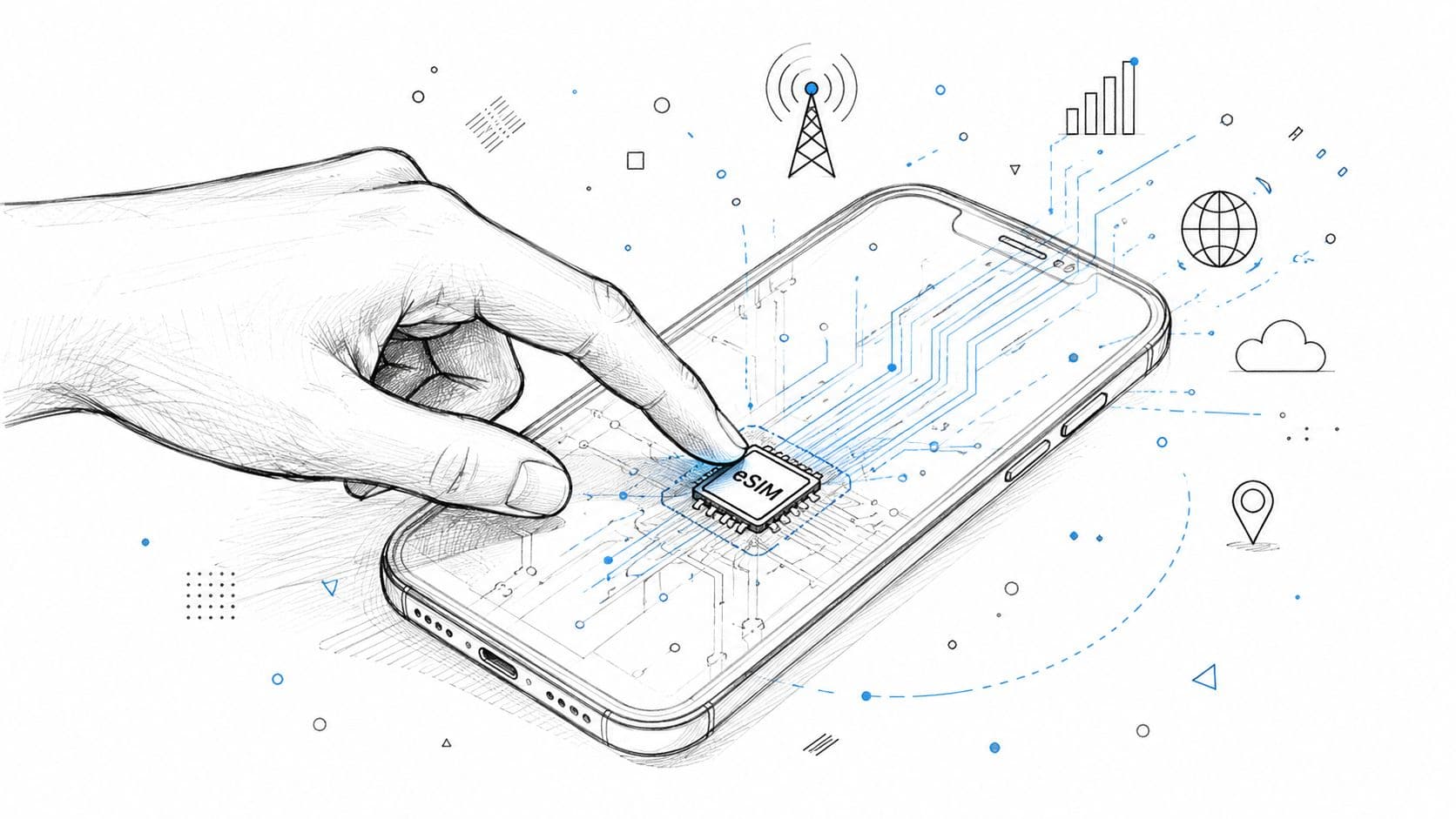
An eSIM is still a real SIM
Think of a physical SIM like a pre-printed concert ticket. It's made for one setup, and if you want a different one, you usually need another physical card.
An eSIM is more like a digital pass in your phone wallet. The chip is already there. What changes is the profile loaded onto it.
That's why people talk about eSIM “installation” or “activation.” You aren't inserting hardware. You're loading subscriber credentials onto hardware that already exists inside the phone.
If you want a more detailed primer on that distinction, this guide to what an eSIM is explains the embedded model in practical terms.
Why remote setup changes travel
For travelers, the magic isn't that the SIM became invisible. It's that the setup became remote.
You can buy a plan before departure, during a layover, or after landing on airport Wi-Fi. Then you scan a QR code or follow your provider's install flow. No plastic. No tray. No trying to keep your home SIM safe in a jacket pocket.
This also makes it easier to think in trip profiles instead of permanent cards. You might keep your everyday line on one setup and add a travel data line for a specific country or region when needed.
A few practical benefits stand out:
- Pre-trip setup: You can sort connectivity before the plane lands.
- Less physical hassle: No need to swap and store tiny chips.
- Cleaner device use: Your home number can stay configured while you add travel data separately.
- More flexible planning: You can choose a local, regional, or broader travel plan based on the route.
Most travelers don't care whether the chip is soldered to the board. They care that they can get online without hunting for a phone shop.
That's the leap. The technology moved from “identity on a removable card” to “identity you can provision digitally.” For travel, that feels less like a spec change and more like freedom.
eSIM vs Physical SIM A Traveler's Guide
The better option depends on how you travel, what phone you have, and how much friction you're willing to tolerate. Physical SIMs still make sense in plenty of situations. But if your priority is landing ready to work, message, find your way, and book transport, eSIM often fits modern travel better.
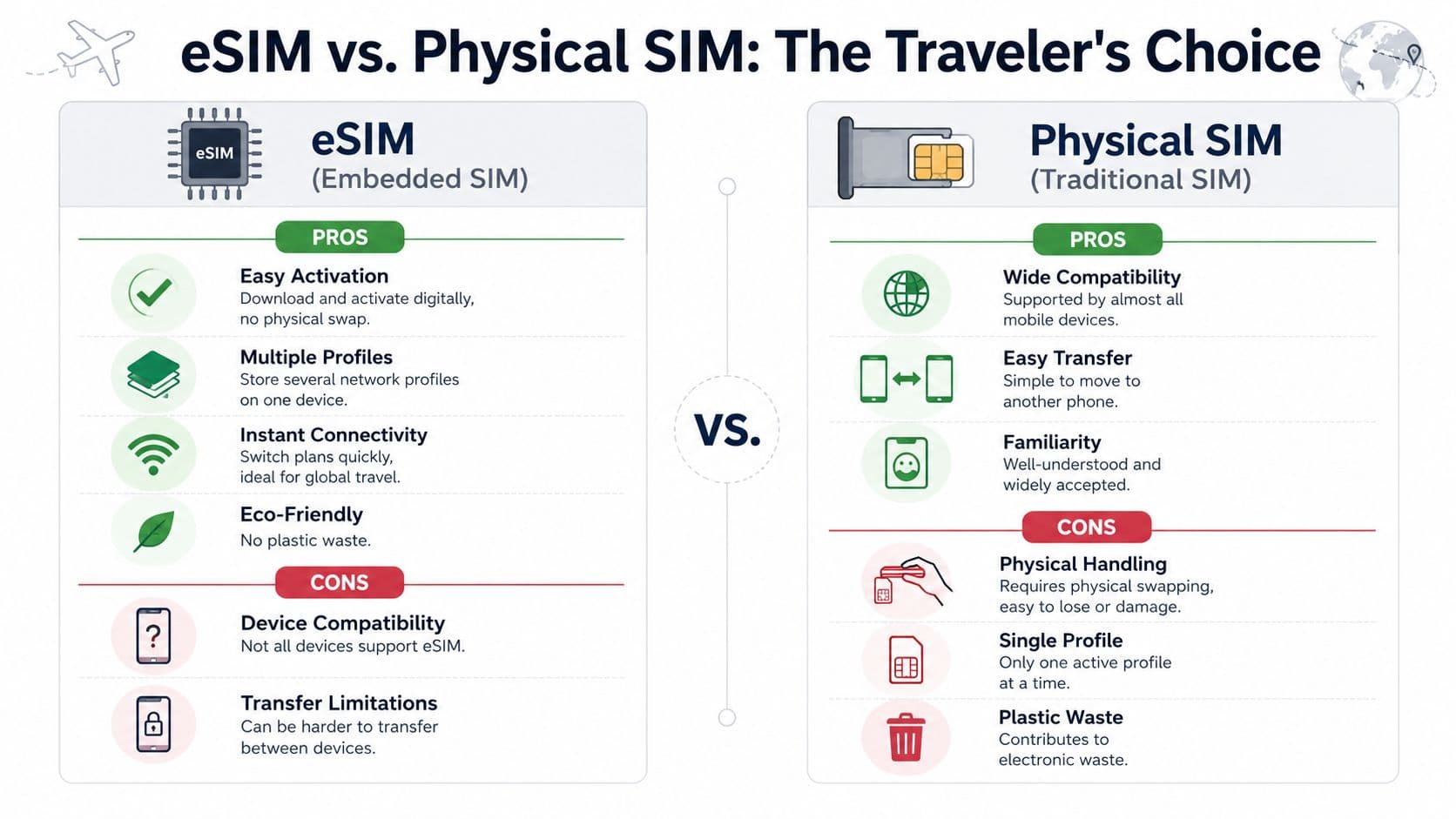
A side by side travel comparison
| Travel factor | eSIM | Physical SIM |
|---|---|---|
| Setup | Download and activate digitally | Insert and swap a card manually |
| Airport convenience | Can be arranged before or right after landing | Often requires finding a vendor or carrying spare cards |
| Multiple plans | Easier to keep more than one profile on a supported device | Usually tied to whichever card is physically inserted |
| Compatibility | Depends on device support and lock status | Works with a wider range of older phones |
| Transfer style | Less tactile, more software-driven | Familiar and easy to understand physically |
| Risk of losing it | tiny plastic card to misplace | Easy to lose during swaps |
For a deeper consumer comparison, this breakdown of eSIM vs local SIM card options walks through the tradeoffs from a travel angle.
Why switching matters on the road
One of the biggest travel fears is ending up stuck with weak service and no easy fallback. That worry isn't imaginary. A cited content-gap analysis notes that 68% of international travelers fear getting stuck on a single network, and it argues that many mainstream explanations still fail to explain how modern eSIM services handle dynamic switching through mechanisms such as NAS/PLMN selection, as described in this YouTube source summary on SIM and network switching gaps.
You don't need to master those acronyms to benefit from them. The practical takeaway is simple: modern eSIM setups can make network selection and travel connectivity feel much smoother than the old “buy one card and hope coverage is good” routine.
That said, physical SIMs still win in a few cases:
- Older phone support: If your device doesn't support eSIM, the decision is made for you.
- Quick device swapping: Moving a card between phones can be very straightforward.
- Carrier familiarity: Some users trust the method they've used for years.
If your phone supports both, the traveler-friendly setup is often obvious. Keep your regular line as-is, add travel data digitally, and avoid pulling parts out of your phone in transit.
Your First eSIM A Practical Guide with RoamFly
Your first eSIM setup is usually simpler than people expect. Most problems happen before purchase, not after installation. That's why checking your phone properly matters.
A cited 2025 industry report found that 34% of users experience activation failure due to mismatched device firmware or regional carrier locks, not product incompatibility, and that many articles list supported devices too broadly without showing people how to verify their exact setup, as discussed in this TextNow-linked compatibility gap reference.
Step 1 Check your phone before you buy
Start with compatibility, not plan selection.
Use your phone's settings to confirm eSIM support, then check whether the device is free from carrier restrictions. If the phone is locked to a home carrier, an international eSIM may install but still fail to work as expected.
If you want a walkthrough of the purchase and setup flow, RoamFly's how it works page shows the basic process.
A few things to verify:
- eSIM support: Your exact phone model needs embedded SIM capability.
- Carrier lock status: Locked phones are a common cause of failed activation.
- Software readiness: Older firmware can cause setup friction on some devices.
Step 2 Choose the plan that matches the trip
Don't overcomplicate this part. Match the plan to the route.
If you're visiting one country, a local plan is usually the cleanest choice. If you're moving through several countries in one region, a regional option is often easier than managing separate installs. If your trip spans multiple continents, a global profile may be more convenient.
Think about how you travel:
- Short city break: You mostly need maps, messaging, and ride apps.
- Remote work trip: You need dependable daily data for calls, email, and tethering.
- Multi-stop itinerary: You want one setup that survives border crossings without attention.
Step 3 Install and turn it on
Most eSIMs install through one of two methods: scanning a QR code or following an app-based install flow. The actual steps vary slightly by phone, but the pattern is familiar. Add the cellular plan, label it, choose whether it handles data, and turn on roaming if the provider instructs you to.
Here's a quick visual walkthrough:
If something doesn't connect immediately, don't panic. Most first-time issues come down to one setting, one restart, or one lock-status problem rather than a broken eSIM.
Common SIM and eSIM Questions Answered
Can I keep my physical SIM and use an eSIM too
Usually, yes, if your phone supports dual SIM features. A common travel setup is keeping your regular physical SIM for your home number and using an eSIM for data abroad.
That lets you keep familiar messaging and account access while avoiding the hassle of removing your main card.
What if my eSIM won't connect
Run through a short checklist:
- Restart the phone: This sounds basic, but it often helps the new profile register properly.
- Check data settings: Make sure the eSIM is selected for cellular data.
- Enable data roaming if needed: Many travel eSIMs require this setting to be on.
- Try manual network selection: If automatic selection struggles, manually choosing an available network can help.
If the eSIM installed correctly but data isn't working, the fix is often in settings, not in the purchase itself.
What happens if I reset my phone
A reset may remove the installed eSIM profile, depending on the reset type and device. Before wiping a phone, check whether your provider allows reinstalling the profile and whether you've saved the QR code or activation details.
This matters most when you're already traveling and relying on that line for data.
Can I store more than one eSIM
On many modern phones, yes. You can often store multiple eSIM profiles and switch between them in settings, though how many can be active at once depends on the device.
That's useful if you travel often and want separate setups for different countries or regions without starting from scratch every trip.
Is a physical SIM still worth having
Absolutely. It's still practical for older devices, simple phone-to-phone transfers, and people who prefer a familiar setup. eSIM doesn't make the physical SIM obsolete overnight. It just gives travelers another option that's often more convenient.
If you want a travel setup that avoids physical SIM swaps, RoamFly offers eSIM data plans for international trips, along with setup help and compatibility guidance so you can sort connectivity before you land.