Wondering do text messages use data? Learn the difference between SMS, MMS, and apps like iMessage to avoid data roaming charges on your next trip.
You've landed, your phone is out of airplane mode, and the first thought is simple: “I should text home.” Then the second thought hits: “Wait, will that use data?”
That confusion is completely normal, especially when you're traveling with a regular SIM, a travel eSIM, hotel Wi‑Fi, and a messaging app that seems to change behavior without asking. On one screen, every message looks like “a text.” Under the hood, though, your phone may be using several different systems, and they don't all affect your bill the same way.
The short answer is this: plain SMS usually doesn't use mobile data, but many modern messages do. The tricky part is knowing which kind you're sending in the moment, and what your phone will do when signal, Wi‑Fi, or roaming settings change.
The Traveler's Dilemma With Texting Abroad
You land in Vienna, connect to airport Wi‑Fi for a minute, message your family, then lose Wi‑Fi in the taxi. Suddenly you're staring at your phone wondering whether the next “text” is free, covered, roaming, or subtly eating into your travel data.
That's where confusion often arises. Users use the word text to mean everything from a basic green SMS to a photo in WhatsApp to a blue iMessage. Your phone doesn't see those as the same thing, and your carrier definitely doesn't either.
For travelers, the difference matters because you're often juggling two goals at once. You want to stay reachable, and you want to avoid bill shock. Those goals can work together, but only if you know which messages ride on the carrier's texting system and which ones ride on the internet.
Practical rule: If your message depends on Wi‑Fi or cellular data to leave your phone, treat it like any other internet activity while abroad.
That's why “do text messages use data” isn't really a yes-or-no question. It's more like asking whether sending something is like dropping a postcard in the mail or sending an email. Both deliver words. They travel through completely different systems.
The Four Types of Modern Messaging Explained
SMS is the old reliable option
SMS is the classic text message. It operates using your carrier's built-in mail route, comparable to sending a postcard. It doesn't go out over the internet. It uses the carrier's signaling network, which is why traditional SMS text messages generally do not use mobile data according to this explanation of how texting works.
That same overview notes a useful scale point: one 2026 summary reports about 25 billion text messages are sent per day worldwide. Old technology, still very alive.
For travel, SMS has one big advantage. If your line has texting service, a plain text message can often still go through even when mobile data is off.
MMS adds media and changes the rules
MMS is what happens when you move beyond plain text and send things like pictures, video, or sometimes group messages through the carrier messaging system. It looks similar in your messaging app, but it behaves differently.
MMS is where many travelers make a wrong assumption. They think, “It's still just texting.” Technically, it isn't. MMS requires a packet data connection, so media messages can involve data behavior that plain SMS does not.
That means a short “Landed safely” text and a photo of your hotel room may travel in two different ways, even if you send both from the same conversation thread.
Internet messaging uses data
Then there are internet-based messaging services, often called OTT apps. That includes iMessage, WhatsApp, and Facebook Messenger. These work more like email than postcards. Your message goes over the internet using Wi‑Fi or cellular data.
This is why a blue iMessage bubble is not the same thing as a green SMS bubble on iPhone. Same app. Different transport.
If you rely on messaging heavily while traveling, it also helps to think beyond chat itself. Many travelers pair messaging with maps, translation, and booking tools. A solid list of travel apps for 2026 can help you plan how all of that fits within your data setup.
RCS sits in the middle for many Android users
RCS is the modern layer many Android phones use for richer texting features like typing indicators and read receipts. For everyday users, the easiest mental model is this: it behaves more like internet messaging than old-school SMS.
So if you're on Android and a conversation feels more advanced than plain texting, don't assume it's data-free. Treat it like a service that may depend on your internet connection.
Here's the simple version:
| Messaging Technology | Uses Cellular Data? | Supports Media (Photos/Videos)? | Best For |
|---|---|---|---|
| SMS | Usually no | Basic text when you want the safest low-dependency option | |
| MMS | Often yes | Carrier-based photo or group messaging | |
| OTT apps like iMessage and WhatsApp | unless on Wi‑Fi | Everyday chat, voice notes, shared photos, video | |
| RCS | Generally yes | Richer Android messaging with modern chat features |
SMS is like postal mail built into your phone plan. iMessage and WhatsApp are like internet mail. They may look similar on screen, but they don't bill or fail in the same way.
How Much Data Does Messaging Actually Use
Text is tiny and media is not
If you're using an internet-based service, the next question is how much data you're burning.
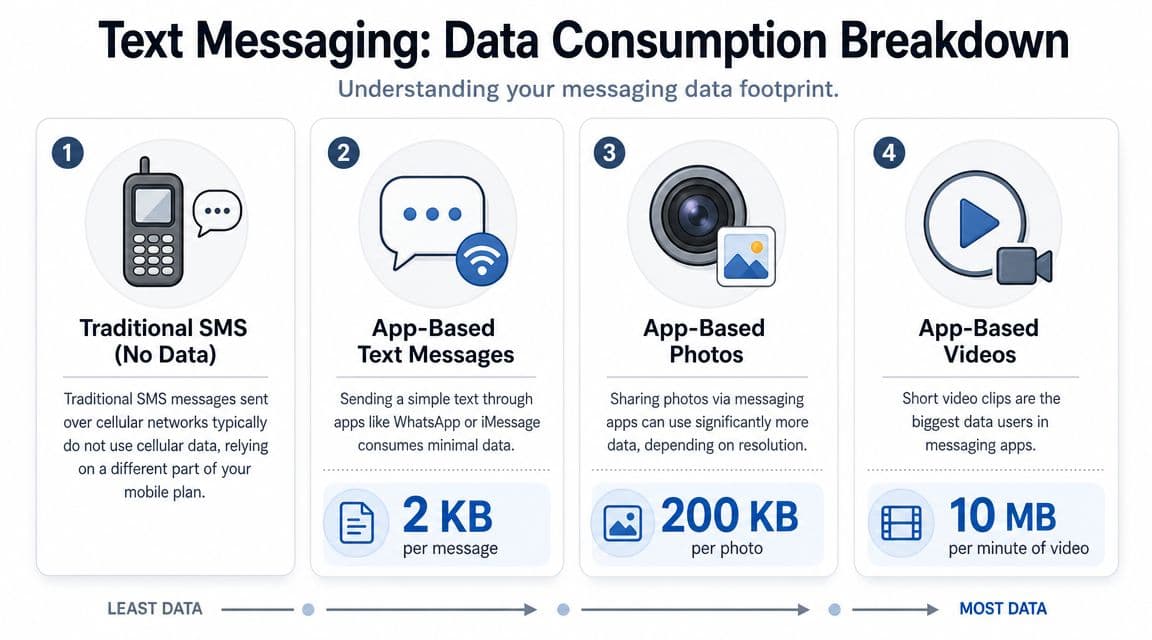
A detailed usage guide says a plain iMessage text is extremely lightweight at about 0.1 bytes per character, while a single image via iMessage typically uses about 3 MB, and a one-minute video can use up to 60 MB in this iMessage data guide. That same source estimates about 150 billion WhatsApp messages per day globally, compared with 25 billion SMS/MMS messages per day, which helps explain why so many travelers now depend on data-based messaging.
Those numbers reveal the truth. Sending words is usually cheap in data terms. Sending media is where your plan starts to feel small.
Why travelers get surprised
The surprise usually isn't the text itself. It's the attachment.
A traveler may spend all day chatting in WhatsApp with no problem, then send a few photos from a museum and suddenly notice their data drops much faster than expected. The same thing happens with iMessage. A plain text feels almost free. A short video clip is a different category.
A good way to budget your thinking is this:
- Plain app message: tiny data footprint
- Single photo: meaningful jump
- Short video: large jump
- SMS: usually no mobile data at all
If you're trying to stretch a small travel data plan, type more and attach less.
There's another wrinkle. Your iPhone may switch between blue iMessages and green SMS or MMS depending on the recipient, your connection, or the kind of content you're sending. So the answer to “do text messages use data” can change inside the same conversation.
A Traveler's Guide to Managing Messaging Abroad
Set up your phone before you leave the airport
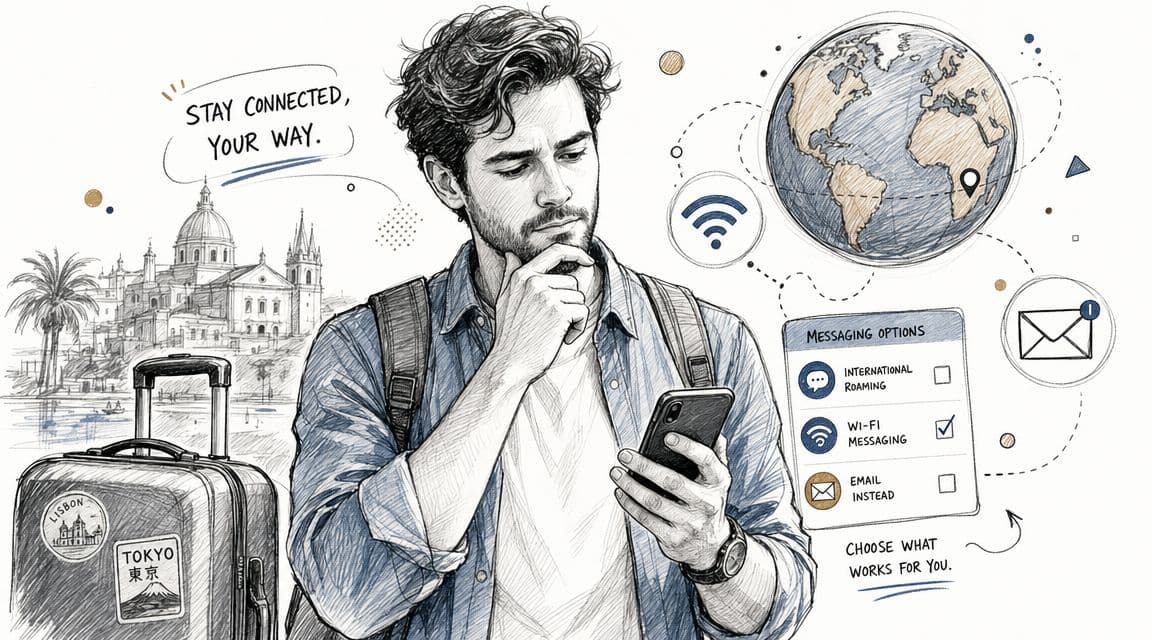
Start with the setting that matters most: Data Roaming. If you turn it off, that won't stop standard SMS from sending or receiving, because SMS uses the carrier's signaling channel rather than the internet connection, as explained in this Apple support discussion about roaming and SMS.
That gives you a practical safety net. You can block roaming data and still keep access to plain texts on many plans.
A simple arrival checklist helps:
- Turn off data roaming on your primary line if you don't want surprise international data use.
- Leave your main line active for calls and SMS if your carrier supports that setup and pricing works for you.
- Connect to trusted Wi‑Fi when available for app-based messages.
- Check whether your messaging app is using internet service or carrier text before sending photos or videos.
Use one line for texts and another for data
Regular SIM plus eSIM travel setups become useful. Many phones let you keep your home SIM active for your number while assigning mobile data to a separate travel eSIM.
One option is a complete guide to eSIM travel setup. In practical terms, the idea is simple: keep your usual number available for ordinary texts and verification messages, but route your internet traffic through a travel data line.
For example, if you're spending a few days in Austria, you could use an Austria eSIM for your data connection while keeping your primary SIM available for standard texting. That setup is useful for travelers who want WhatsApp, iMessage, maps, and email to work normally without relying on home-carrier roaming data.
Here's the logic behind that split:
- Primary SIM for identity: your number stays reachable.
- Travel eSIM for internet: app-based messaging uses the cheaper or more predictable data source.
- SMS as backup: if internet service drops, plain text may still work.
This short video gives a visual walkthrough of the kind of setup many travelers use.
Check the message type before you hit send
The easiest habit is to pause for two seconds and identify what you're sending.
If it's a plain text to confirm pickup time or send a flight number, SMS is often the least complicated option. If it's photos, voice notes, or a long chat thread, use iMessage, WhatsApp, or another app on Wi‑Fi or your travel data line.
A few settings are worth reviewing before departure:
- iPhone Send as SMS: If enabled, your phone may fall back to carrier texting when iMessage isn't available.
- MMS Messaging: Useful if you need it, but remember media may behave differently from plain texts.
- Preferred data line: Set your travel eSIM as the line for cellular data.
- Wi‑Fi Assist and similar features: Check whether your phone jumps to cellular when Wi‑Fi is weak.
The goal abroad isn't to avoid messaging apps. It's to decide which network each message should use before your phone decides for you.
Troubleshooting Common Messaging Problems Abroad
Why did my iMessages turn green
On iPhone, green usually means your message is no longer traveling as an iMessage. It has switched to SMS or MMS.
That can happen because you lost data access, Wi‑Fi dropped, the other person isn't using an Apple device, or the phone decided it couldn't send an internet-based message. Apple's support community notes that iMessages require data, while SMS and MMS use the carrier messaging path, with MMS specifically requiring a cellular data connection in this discussion of iMessage, SMS, and MMS behavior.
If the switch was intentional, that may be fine. If it wasn't, check your data line, Wi‑Fi, and messaging settings.
Why did my photo fail to send
A failed photo often points to one of two issues: you have no working internet connection for app messaging, or MMS isn't available under your current carrier and roaming setup.
This is why a plain text may go through while a picture won't. They aren't using the same path.
Try this:
- Send a plain text first: If that works, your SMS path is likely fine.
- Test a website or map app: If that fails, your data connection is the problem.
- Check MMS settings with your carrier: Media over the carrier path may need data access.
- Use Wi‑Fi for media: Hotel, airport, or café Wi‑Fi can be the simplest fix.
Why does my phone say not delivered
“Not Delivered” is usually a transport problem, not a mystery. Your phone tried one route and couldn't complete the handoff.
Work through the basics in order:
- Confirm you have signal on the line that's meant to send the message.
- Check which SIM handles data if you're using dual SIM or eSIM.
- Try sending to another contact to see whether the issue is device-specific or recipient-specific.
- Restart the messaging app or phone if the connection looks stuck.
- Use a support checklist for no service issues such as this no connection troubleshooting guide.
A lot of frustration disappears once you stop thinking of all messages as the same kind of “text.”
Text Smarter and Stay Connected Anywhere
The cleanest answer to “do text messages use data” is this: plain SMS usually doesn't, but internet messaging and media usually do.
That technical split matters because your phone can move between systems without much warning. SMS is a text-only service with a historical limit of about 160 characters and doesn't need a data plan, while MMS carries media and requires a packet data connection, as explained in this overview of how SMS and MMS work. That's also why blue iMessages use data and green SMS messages don't.
For travel, the practical takeaway is simple:
- Use SMS for plain, low-risk communication when you need reliability without relying on data.
- Use iMessage, WhatsApp, and similar apps when you have Wi‑Fi or a travel data setup.
- Be cautious with photos and video, because that's where data use rises fast.
- Check your SIM, eSIM, roaming, and fallback settings before you need them.
Once you know the difference between carrier texting and internet messaging, your phone stops feeling unpredictable. You can choose the right channel for the moment, stay reachable, and keep control of your budget.
If you want a simpler way to handle messaging abroad, RoamFly offers travel eSIM data plans that let you keep app-based messaging on a separate data connection while your main line can remain available for standard texts and calls.
*Published via the Outrank tool*