

Get online in Costa Rica with an eSIM. Our 2026 guide covers compatibility, plans, coverage in parks, activation, and how to stay connected seamlessly.
You're probably doing the same mental checklist most Costa Rica travelers do a few days before departure. Will your phone work when you land? Can you order a ride from the airport, load directions to your hotel, or message your host before you find Wi-Fi? And if you're heading beyond San José into surf towns, cloud forests, or national parks, will your signal disappear the moment the road gets interesting?
That's where a Costa Rica eSIM helps, but only if you choose it with realistic expectations. The marketing version says eSIM means instant internet and zero hassle. The practical version is better. It gives you fast setup, no SIM tray juggling, and a clean way to get data the moment you arrive. It does not automatically guarantee voice service, flawless rural coverage, or a local number.
Costa Rica is a strong use case for travel eSIMs because the country combines a population of about 5.2 million with roughly 2.6 million international arrivals in 2023, and travel had returned to pre-pandemic levels by 2024 according to GoHub's Costa Rica eSIM overview. That mix creates heavy demand for short-stay connectivity, which is why most plans are built around trip-length bundles rather than long domestic contracts.
What Is a Costa Rica eSIM and Why You Need One
A Costa Rica eSIM is a digital SIM profile that installs directly on your phone. Think of it as a travel data line that lives inside the device already. You don't need to hunt down a plastic SIM card, swap out your home line, or stand at an airport kiosk after a long flight.
The simple version
With a physical SIM, you remove one card and replace it with another. With an eSIM, you scan a QR code and add a plan in settings. That difference matters most when you're tired, landing late, or trying to get online before baggage claim.
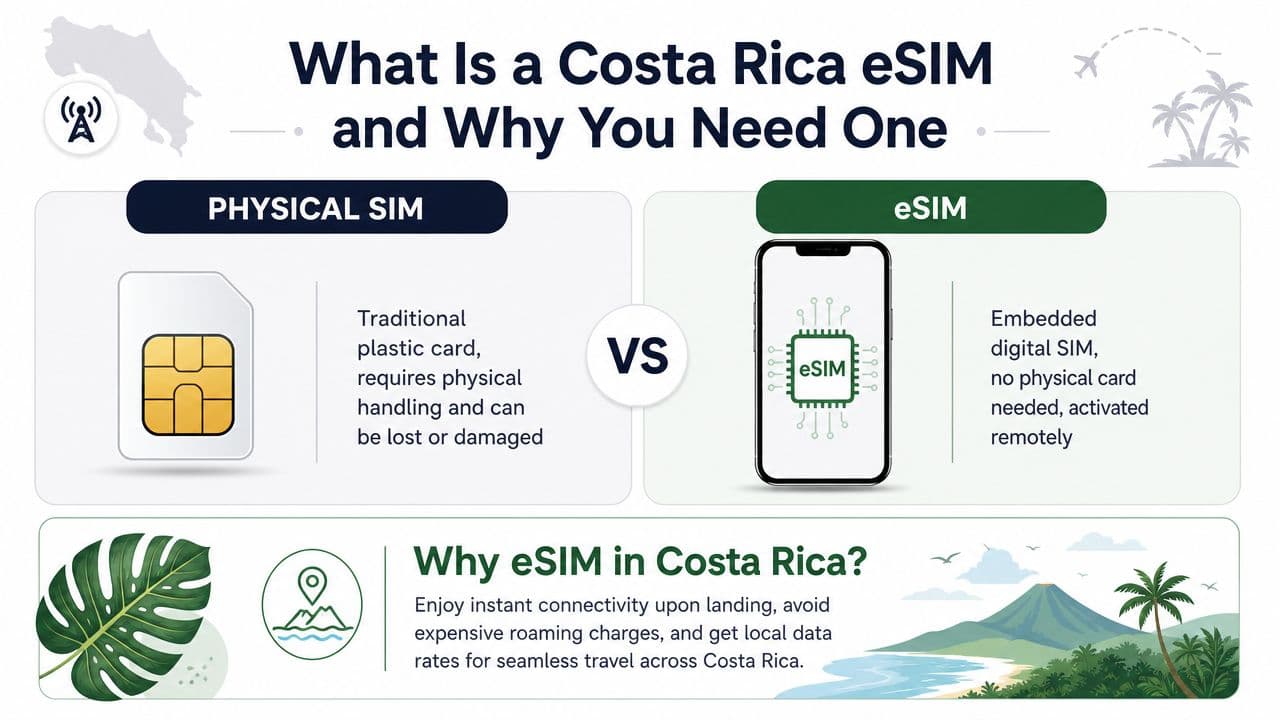
Most travelers should treat an eSIM as the cleanest way to solve one problem first: mobile data. According to Roamic's Costa Rica eSIM product explanation, Costa Rica travel eSIMs typically work as data-only IMSI profiles that connect to partner networks such as Claro, Movistar/Telefonica, or ICE through roaming agreements. That's why setup is usually just QR installation plus turning on data roaming, and why many plans don't include voice calls or SMS.
Practical rule: Buy your eSIM before departure, install it while you still have stable Wi-Fi, and save the activation email somewhere easy to reach.
If you want a broader primer on how travel eSIMs work across countries, RoamFly has a straightforward guide to using an eSIM for travel.
Why it works well for Costa Rica trips
Costa Rica is built for movement. A typical trip might include an airport transfer, a domestic bus, a rental car pickup, then a few days between beach towns and inland stops. In that kind of itinerary, data matters more than a local storefront.
An eSIM works best when you need to:
- Get directions immediately with Google Maps, Waze, or offline map backups.
- Message hosts and drivers through WhatsApp or booking apps.
- Avoid home-carrier roaming without changing your main number.
- Stay flexible if you're moving between regions instead of staying in one resort.
What doesn't work as well is assuming every Costa Rica eSIM also gives you a local phone number and standard calling. Many don't. If your trip depends on receiving banking codes, sign-in texts, or business calls, plan for that separately.
Checking Your Device for eSIM Compatibility
A Costa Rica eSIM only works if your phone supports eSIM and isn't locked to your home carrier. People often check one and forget the other. Both matter.
Two checks matter
First, confirm that your device has an eSIM option in settings. Second, confirm that your carrier allows other networks on the phone. A compatible device that's carrier-locked can still fail when you try to activate.
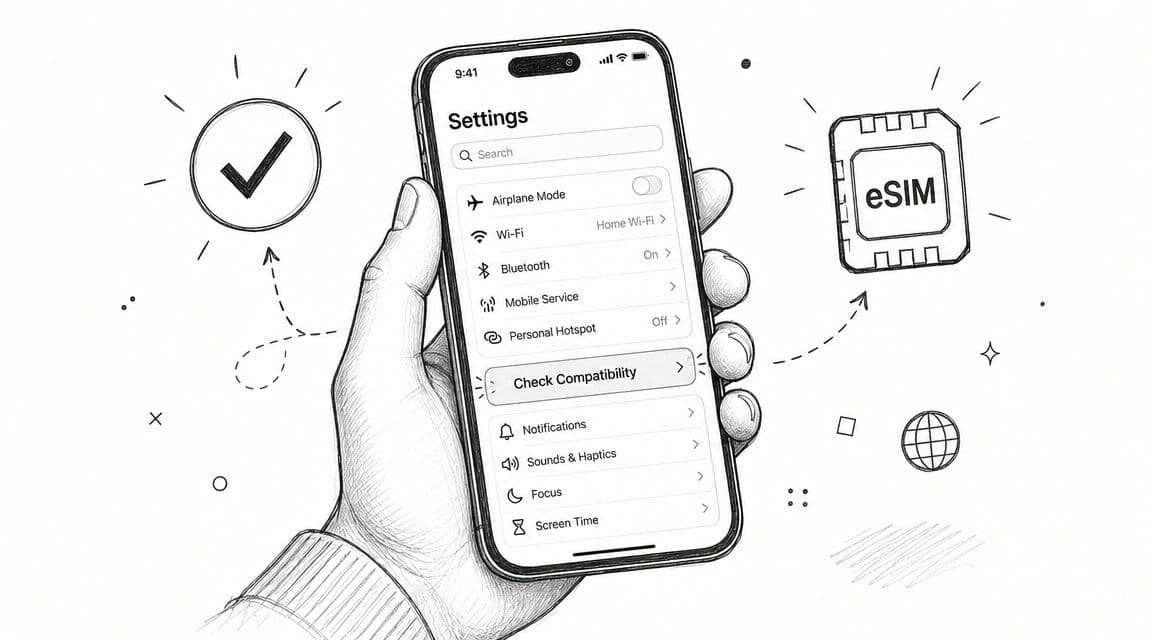
If you want the fast version, use RoamFly's device compatibility checker. It's a simple pre-purchase check and saves you from buying a plan you can't use.
A locked phone is the most boring way to ruin a smooth travel setup. Check it before you buy anything.
Quick menu check by device
On iPhone, open Settings, then Cellular or Mobile Data. If you see an option such as Add eSIM or Add Cellular Plan, your device likely supports it.
On Android, the wording varies by brand, but look in Settings under Network, Connections, or SIM Manager. Terms like Add eSIM, Download SIM, or Mobile Plan usually indicate support.
Use this quick checklist:
- Find the menu option. If your phone has no eSIM menu, stop there and use a physical SIM plan instead.
- Ask your carrier if the phone is carrier-independent. Don't assume a fully paid phone is automatically carrier-independent.
- Update the device software. Older system versions sometimes hide or limit eSIM functions.
- Check dual SIM behavior. If you plan to keep your home SIM active, make sure your phone supports that setup smoothly.
- Take screenshots of your settings before travel so you can compare them later if something changes.
One more practical note. If your device is old, work-issued, or purchased through a carrier contract, verify everything early. The setup itself is simple. The friction usually comes from phone restrictions, not from the eSIM.
Understanding Costa Rica's eSIM Coverage and Speeds
You land in San José, order a ride, and everything works. Two days later you are driving toward Monteverde or heading into a national park, and service starts dropping in and out. That is the typical Costa Rica eSIM experience. In cities and established tourist zones, mobile data is usually straightforward. On rural roads, in mountain areas, and around protected parks, coverage depends far more on the local carrier behind your eSIM than on the eSIM format itself.
Coverage depends on the local partner network
Ask one practical question before you buy: which Costa Rican network does this eSIM use?
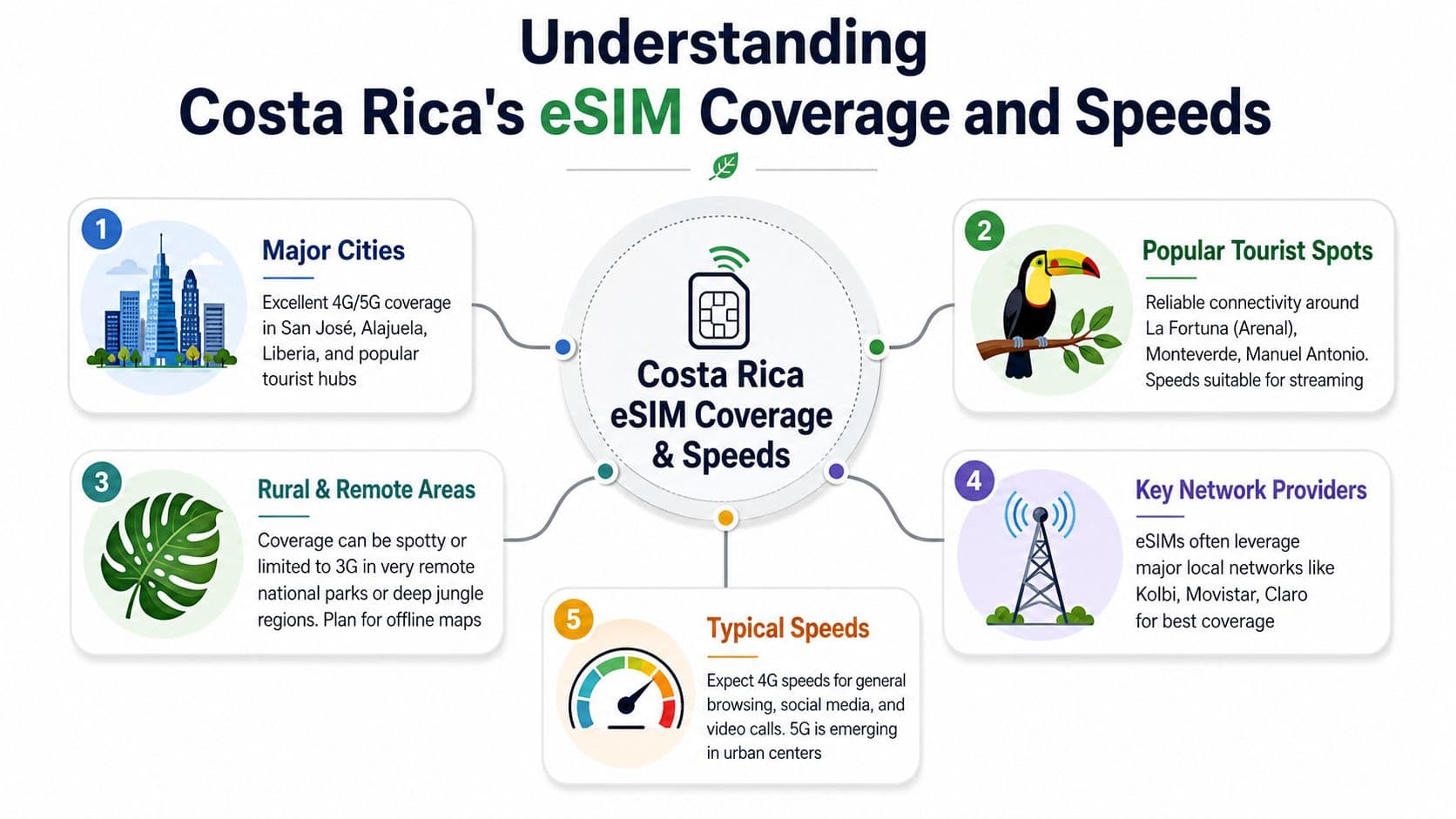
That detail matters because network strength changes fast once you leave the main urban areas. Bel Around The World's Costa Rica eSIM guide points out that the core decision is often about the underlying local carrier, with ICE Kolbi usually offering the stronger rural reach. That shows up in places such as Monteverde, the Osa Peninsula, and on long drives where signal can weaken without much warning.
I would plan around that reality, not around marketing words like “high speed” or “unlimited.”
Weak network partnerships are easy to miss in town and obvious on the road. The test is not hotel Wi-Fi. The test is whether maps, messages, and bookings still load between stops.
For context, this is why plan selection should feel network-first. It's similar to how a product like Brazil eSIM, Unlimited / 1 day is judged less by the phrase “unlimited” and more by whether the underlying network fits the trip.
What speeds and reliability usually look like
In San José, Liberia, and popular beach towns, everyday tasks such as Google Maps, WhatsApp, email, ride-hailing, and restaurant searches are usually fine. In well-developed tourist areas, many travelers can also handle photo uploads, social apps, and light work without much friction.
The pattern changes outside those zones.
National parks, interior mountain routes, and remote coastal areas often bring slower data, brief dropouts, or stretches with no useful signal at all. Long transfer days are the weak point. You may have service at breakfast, lose it for part of the drive, then get it back near your next hotel.
That is why experienced travelers build for interruption. Download offline maps before pickup day. Save lodging directions as screenshots. Keep reservation emails, park tickets, and shuttle details available offline. If you may need calls or banking verification, check in advance whether your setup also gives you a local number or whether you will need an app-based workaround.
A provider such as RoamFly can make setup easy, but no eSIM changes the fact that Costa Rica has real dead zones once you leave the main corridors. Good prep matters as much as the plan itself.
How to Choose the Right Data Plan for Your Trip
Choose your Costa Rica eSIM plan around your hardest day, not your easiest one.
A beach stay with solid hotel Wi-Fi can get by on a small data package. A self-drive trip with long transfers, route changes, and frequent map checks usually needs more. Travelers often run out of data on the days they switch towns, look up stops on the road, upload documents, and fall back to mobile data because the next property's Wi-Fi is weak.
Pick by usage pattern
Light users usually need data for Google Maps, WhatsApp, email, and quick searches. If that sounds like your trip, a smaller plan is usually enough.
Moderate users burn through more than they expect. Social posting, music streaming in the car, translation apps, cloud photo backup, and repeated map use add up fast, especially on multi-stop itineraries.
Heavy users should plan conservatively. Hotspot use, video calls, large uploads, and laptop backup connections can drain a small plan in a day or two. If you may need to reconfigure settings on the road, keeping a provider with a clear eSIM setup guide for iPhone and Android saves time.
Recommended Costa Rica Data Plans by Traveler Type
| Traveler Profile | Typical Daily Use | Recommended 7-Day Plan |
|---|---|---|
| Wi-Fi Hopper | Maps, WhatsApp, email, occasional browsing | 1 GB to 3 GB |
| Standard Explorer | Navigation, restaurant searches, social posting, some music streaming | 3 GB to 5 GB |
| Road Trip Traveler | Heavy map use, constant searches, uploads between stops | 5 GB to 10 GB |
| Remote Worker | Messaging, hotspot backup, light calls, file access | 10 GB or more |
| Content Creator | Frequent uploads, reels, cloud sync, backup tethering | Large bundle, as available |
A few real-world rules make plan choice easier:
- Go small if mobile data is just backup and you expect reliable Wi-Fi at your hotel, rental, or coworking space.
- Go mid-range if you will be out all day, changing locations often, and using your phone for maps, bookings, and day-to-day decisions.
- Go large if your phone is part of your work setup, or if two people may end up sharing one connection through hotspot.
- Check whether you need a local number before you buy. Many travel eSIM plans are data-only, which is fine for WhatsApp and maps, but not always enough for traditional calls or certain booking and verification situations.
One more practical point. Turn off automatic app updates, cloud backups, and high-quality media uploads on mobile data before you leave. That single step often matters more than the difference between two nearby plan sizes.
If you are deciding between two options, buy for the day with the most movement and the weakest Wi-Fi, not for the average afternoon by the pool.
Step-by-Step Guide to Activating Your eSIM
Activation is often easier than expected. The best time to do the setup is before you fly, while you still have stable Wi-Fi and patience.
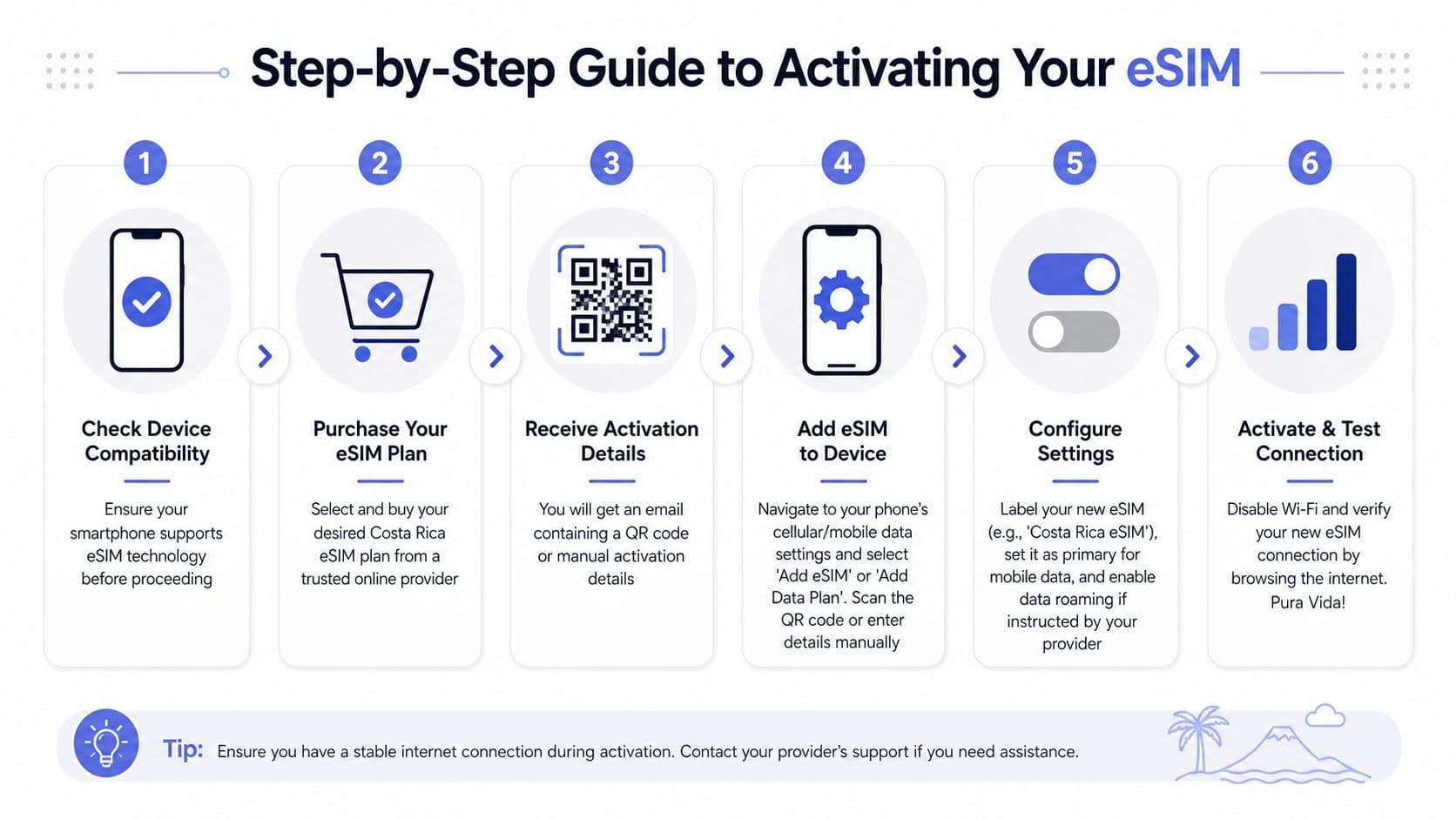
For a visual walkthrough, this process flow helps:
Before you fly
Start by buying your plan from a provider that clearly shows installation instructions and plan details. You'll usually receive a QR code by email, in the app, or both.
Then do the install:
- Open your phone's cellular settings and select Add eSIM or Add Cellular Plan.
- Scan the QR code from another screen or printout.
- Follow the prompts to add the plan to your phone.
- Label the line something obvious like “Costa Rica” so you don't mix it up with your home SIM.
- Leave your primary line settings alone unless you know you need to change them immediately.
If you want provider-specific setup help, RoamFly keeps a clear eSIM setup guide for the common install paths on iPhone and Android.
A short video can also make the process feel less abstract:
When you land
Once you arrive in Costa Rica, switch the eSIM on for mobile data. Most travel eSIMs need data roaming enabled on that eSIM line because they connect through partner network agreements rather than functioning like a domestic local SIM.
Use this arrival checklist:
- Turn off airplane mode and let the phone search for service.
- Set the eSIM as your data line.
- Enable data roaming on the eSIM if the provider instructs you to do so.
- Disable Wi-Fi briefly to confirm the mobile connection is working.
- Test one simple action such as loading maps or sending a message.
If it doesn't connect right away, wait a minute before changing settings. Phones often need a moment to register on a partner network after landing.
If setup fails, don't keep toggling ten settings at once. Check the installed line, confirm data roaming is on for that line, then restart the phone once.
The activation process itself is usually not the hard part. Most problems come from installing too late, scanning the wrong QR code twice, or forgetting to switch the data line after arrival.
Pro Tips for Using Your eSIM in Costa Rica
A Costa Rica eSIM works best when you stop thinking of it as a full replacement for your home mobile identity. For most travelers, it's a data layer, not a complete phone-service replacement.
Use dual SIM the smart way
The most overlooked issue is voice calls and SMS. Mytanfeet's Costa Rica SIM and eSIM guide points out the gap clearly. Some people expect a new local number, but most travel eSIMs are data-only, which creates problems if you need OTPs, verification texts, or incoming calls.
That's why dual SIM is the strongest setup for many travelers:
- Keep your home SIM active for incoming texts, banking codes, and account logins.
- Use the travel eSIM for data so maps, messaging apps, and browser use don't trigger roaming charges.
- Route calls intentionally. If your carrier charges heavily for standard voice roaming, use Wi-Fi calling or internet-based apps when possible.
- Tell your phone which line handles what before you travel, not from the arrivals hall.
Use the eSIM for connectivity and your home line for identity. That split solves more real travel problems than chasing a local number you may not actually need.
Fix the common issues fast
If your data stalls, don't assume the plan is bad. Check the basics first.
- Wrong data line selected. Phones with two active lines sometimes keep using the home SIM for data.
- Data roaming is off. Many travel eSIMs need it enabled on the eSIM line.
- Weak local signal. In mountainous or remote areas, the network may be thin where you are.
- APN not loaded automatically. Some providers need a manual APN entry. If the provider gave you one, copy it exactly.
Also keep your expectations realistic when driving through nature-heavy regions. The issue may be geography, not setup. If your trip includes remote parks, use offline maps and save key travel info locally even if your eSIM is working well in towns.
Why RoamFly Simplifies Your Costa Rica Connection
You notice the difference with a travel eSIM before the flight even boards. The useful option is the one that lets you buy the plan, get the QR code, install it correctly, and know what network you will be using without digging through support pages at the airport.
RoamFly keeps that process simple. You purchase the plan before departure, receive the eSIM digitally, and set it up while you still have stable home internet. That matters in Costa Rica, where connection quality can change fast once you leave San José, drive toward the coast, or spend a day in a park where signal is already uneven.
The biggest advantage is operational, not flashy. RoamFly removes the usual friction points that waste time on travel days:
- Plan setup happens before arrival, so you are not troubleshooting on airport Wi-Fi.
- Your physical SIM stays in the phone, which makes it easier to keep access to your regular number if you still need texts or account verification.
- Everything is managed digitally, which is more practical than hunting for a shop or dealing with a top-up problem mid-trip.
- Plan choice is tied to network fit, which matters more in Costa Rica than chasing the lowest advertised price.
I would judge any provider the same way. If the app or checkout flow is unclear, if the installation steps are vague, or if the network information is buried, it creates work you do not need on a trip.
RoamFly is a good fit for travelers who want the setup handled before wheels up, especially if the itinerary includes a mix of cities, beach towns, transfers, and a few remote stops. It does not solve every limitation of travel eSIMs. You may still need your home SIM for OTPs or a local number for specific bookings. But it does make the data side easier to configure and manage, which is usually the part that causes the most stress.
If you want to sort out mobile data before landing, take a look at RoamFly. It lets you buy your eSIM in advance, install it by QR code, and keep your home SIM in place for the situations where your regular number still matters.